 StageMaster
For Mac
Your product videos,
made for you.
Ask your coding agent for a video. StageMaster performs it on your Mac, records it in one take, and adds a natural voiceover.
Download for MacFree, with every feature.
Remove the watermark whenever you like.

How it works
One request. One take.
- Ask your agent for a video. Claude Code or Codex writes every line, and every click behind it.
- StageMaster performs it. Your Mac plays it out while StageMaster records it in one take.
- Change a line, record again. When it feels right, export it.
Natural voices
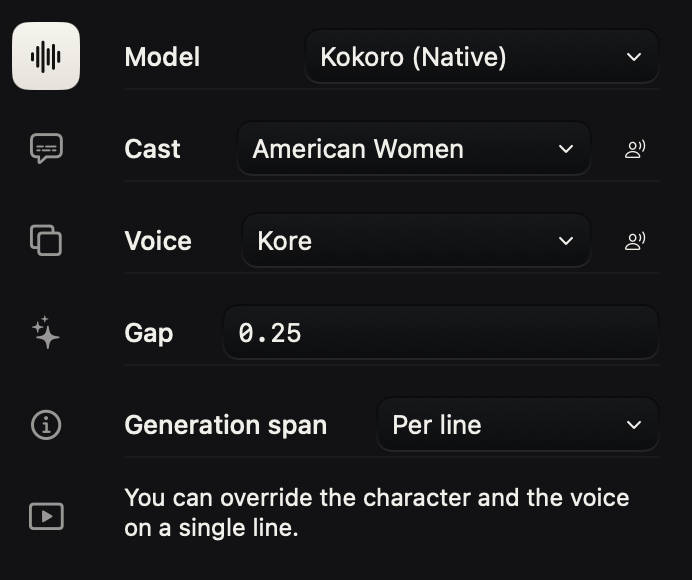
54 voices, built in.
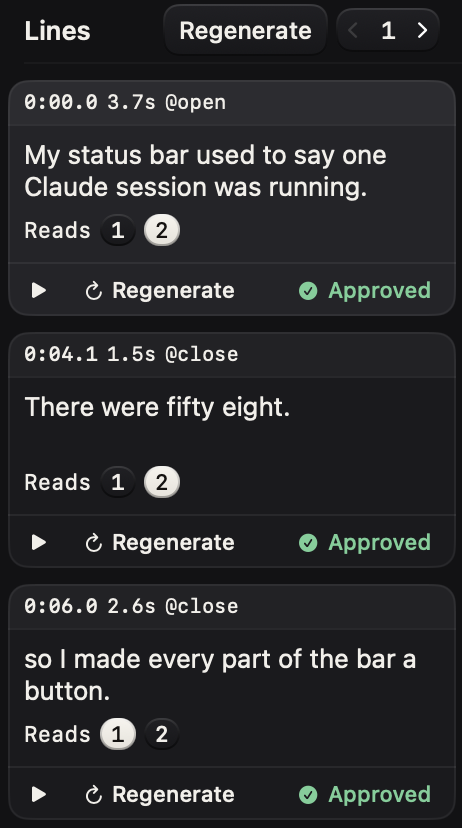
Every voice runs right on your Mac, with no account to make. Give each line its own voice.
Record it yourself
Prefer to record it yourself?
Record your screen as usual, then type the lines you want spoken. StageMaster voices them over your recording.

Everything a product video needs. Trim, zoom, subtitles, backgrounds, and YouTube upload, right where you made it.
Free, with every feature.
Your exported videos carry a small watermark. A license removes it, once and for good.
$49$99$99
Launch price until November 30. Two Macs. No subscription.
macOS 15 or later on Apple Silicon.